dotfiles
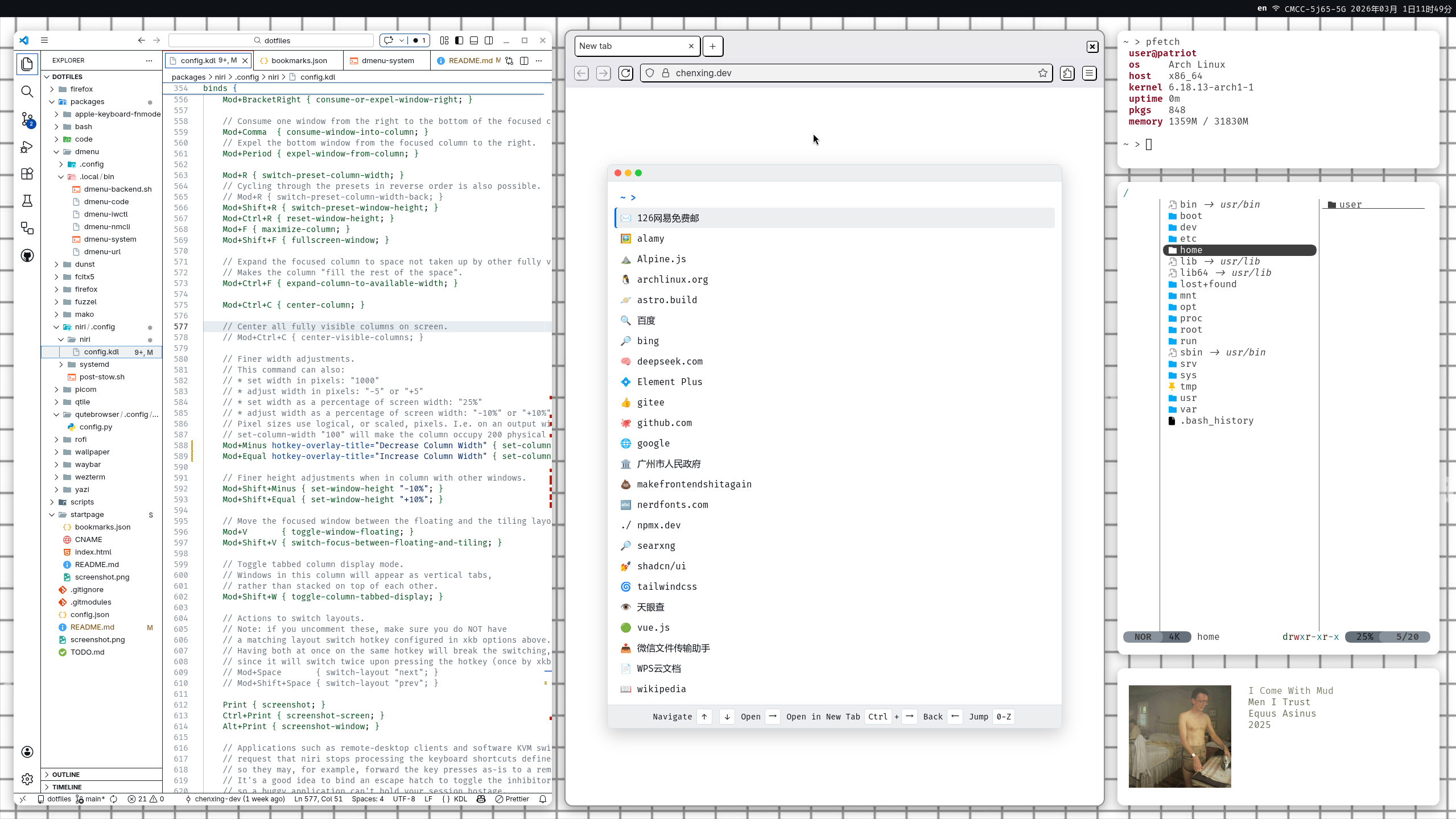
Overview
a dotfiles repository for Arch Linux using GNU Stow, with an automated setup script.
- 🧩 Modular organization with GNU Stow
- 🔄 Safe backups before making changes
- 🖥️ Archinstall configuration (DEPRECATED!)
Repository Structure
dotfiles/
├── packages/                    # GNU Stow-compatible directories
│   ├── dmenu/                   # Rofi/Fuzzel dmenu-style scripts
│   ├── niri/.config/            # Niri window manager config
│   ├── picom/.config/picom/     # Picom compositor config
│   ├── qtile/.config/qtile/     # Qtile window manager config
│   ├── waybar/.config/waybar/   # Waybar status bar config
│   ├── wezterm/.config/wezterm/ # Wezterm terminal config
│   └── ...                      # More packages
├── config.json                  # archinstall config (deprecated)
├── README.md                    # This documentation
└── setup                        # Dotfiles deployment script
Installation
Arch Linux Installation
-
Prepare installation media:
Download Arch ISO from archlinux.org -
Boot into live environment
-
Run archinstall:
archinstall
Dotfiles setup
- Clone the repository (including submodules):
git clone --recurse-submodules https://github.com/chenxing-dev/dotfiles.git ~/dotfilesIf you encounter
bash: git: command not found, you can install Git using the following command:pacman -S gitIf you have already cloned the repository without the
--recurse-submodulesflag, you can initialize and update the submodules with:cd ~/dotfiles git submodule update --init --recursiveIf you are in the region in China and encounter issues with cloning, note that the repository is mirrored on Gitee: https://gitee.com/dev-chenxing/dotfiles
-
Run the setup script:
List available packages with:
cd ~/dotfiles
./setup
Select the packages you want to deploy.
./setup bash code dmenu fcitx5 firefox fuzzel mako niri wallpaper waybar wezterm yaziReboot.
Usage
Backup restoration:
   # View available backups
   ls ~/dotfiles_backup

   # Restore a package
   cp -r ~/dotfiles_backup/qtile_20240611_1420/* ~/
Troubleshooting
Ensure ~/.local/bin is in PATH
For bash users:
echo 'export PATH="$HOME/.local/bin:$PATH"' >> ~/.bashrc
source ~/.bashrc
Updating Submodules
To update submodules to their latest commits:
git submodule update --remote --recursive
Contributing
Contributions are welcome! Please follow these steps:
- Fork the repository
- Create a feature branch (
git checkout -b new-feature) - Commit your changes
- Push to the branch
- Open a pull request
Credits
- Firefox Theme: Monochrome Neubrutalism by Kaskapa
License
This project is licensed under the MIT License - see the LICENSE file for details.